
Instagram Automation
How to Automatically DM Someone Who Comments on Instagram
Learn how Instagram comment-to-DM automation works, how to set it up, what happens after the first message, and how to turn comments into real conversations.
In this guide11 sections
- What Instagram comment-to-DM automation actually does
- Why move the conversation from the comments into DMs?
- How to set up Instagram comment-to-DM automation
- What should your Instagram trigger keyword be?
- Four ways businesses can use comment-to-DM
- The first DM should not be the end of the workflow
- Comment-to-DM mistakes that make automation feel worse
- How do you know if comment-to-DM is actually working?
- Is Instagram comment-to-DM automation allowed?
- Frequently asked questions
- Start with one useful automation
You've probably seen this call to action under an Instagram Reel:
Comment "GUIDE" and I'll send it to you.
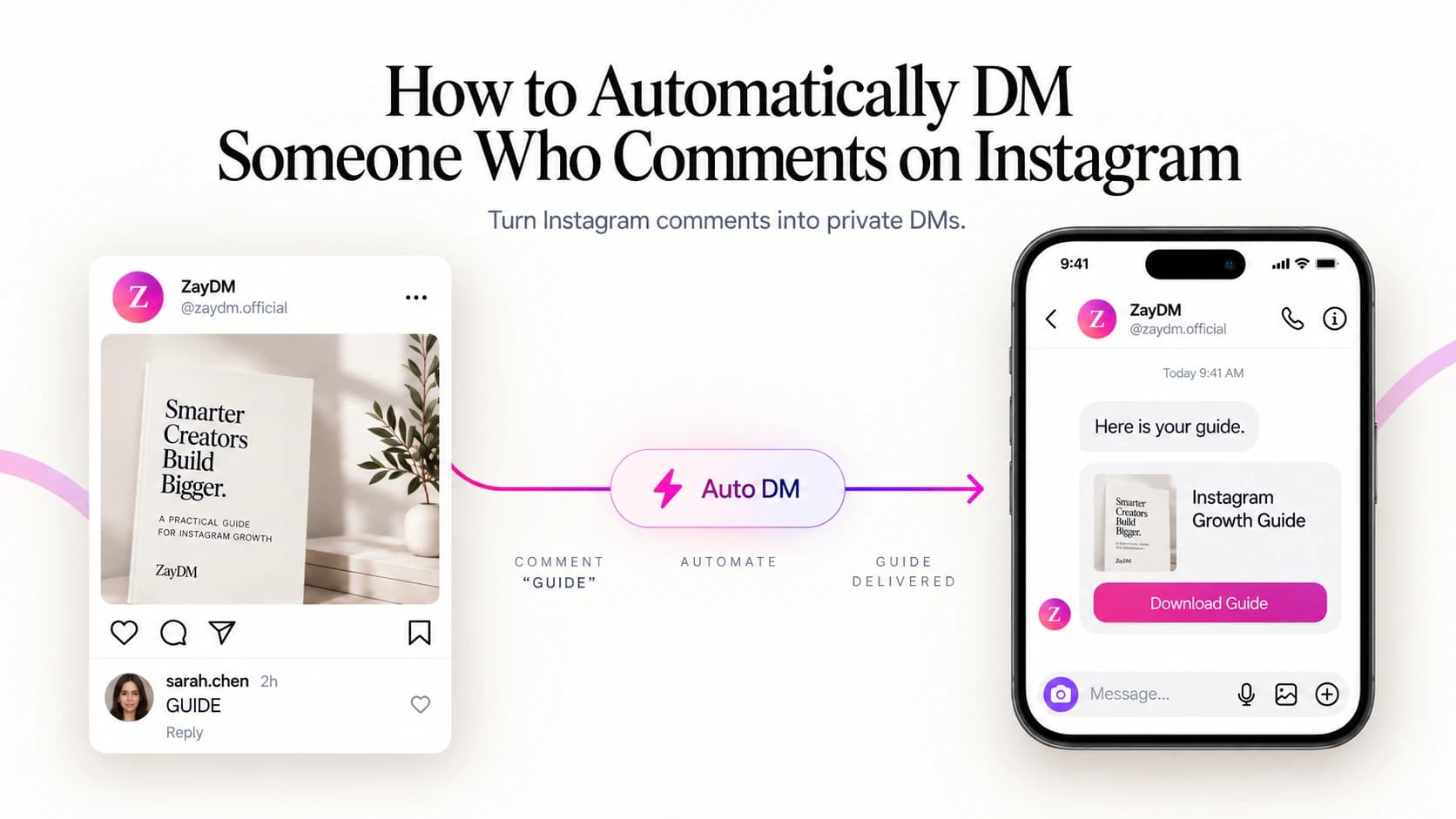
You leave the comment, open your inbox, and the message is already there. There is no creator sitting behind a phone copying links one by one. The comment triggered an automated private message.
That workflow is usually called Instagram comment-to-DM automation.
At its simplest, it works like this:
Someone comments → the comment matches your rule → Instagram sends a private reply → the person continues the conversation → you deliver the resource, product, offer or next step.
For creators and businesses that repeatedly answer comments like "link?", "price?", "where can I get this?" or "send me the guide", it replaces a repetitive manual task with a predictable workflow. More importantly, it gives the person what they asked for while their interest is still fresh.
What Instagram comment-to-DM automation actually does
A normal Instagram comment is public, while a direct message is private. Comment-to-DM automation connects those two moments.
Imagine you publish a Reel about a free Instagram growth checklist and end it with:
Comment GUIDE and I'll send you the checklist.
Someone writes:
GUIDE
Instead of checking your notifications, opening their profile, tapping Message, pasting a link and repeating the process for every commenter, your automation handles the response.
A simple flow might look like this:
The important word here is trigger. The automation is not randomly messaging Instagram users. It is responding to an action the person took on your content.
That distinction matters both for user experience and for how Instagram's messaging platform works. Comment-to-DM automation works with professional Instagram accounts, including Business and Creator accounts.
Why move the conversation from the comments into DMs?
Sometimes a public reply is enough. If someone comments "What color is this?", you may simply answer underneath the post.
But many Instagram interactions involve something that is easier to handle privately:
- a product link
- a downloadable guide
- a booking page
- pricing information
- a discount
- a checklist
- a lead magnet
- the next step in a longer conversation
The comment becomes the signal that starts the conversation, and the DM becomes the place where you continue it. This also removes unnecessary friction.
Consider these two journeys.
Link in bio
- See Reel
- Read CTA
- Visit profile
- Find bio link
- Open link
- Find the correct resource
Comment-to-DM
- See Reel
- Comment "GUIDE"
- DM arrives
- Continue
- Open resource
That does not mean comment-to-DM should replace every link in your Instagram strategy. It means that when someone has already expressed a specific intent, you can respond directly to that intent instead of asking them to navigate somewhere else.
How to set up Instagram comment-to-DM automation
The exact interface depends on the platform you use, but the underlying decisions are similar. Here is what the workflow looks like in ZayDM.
Using ZayDM? Follow the Comment Automation setup guide.
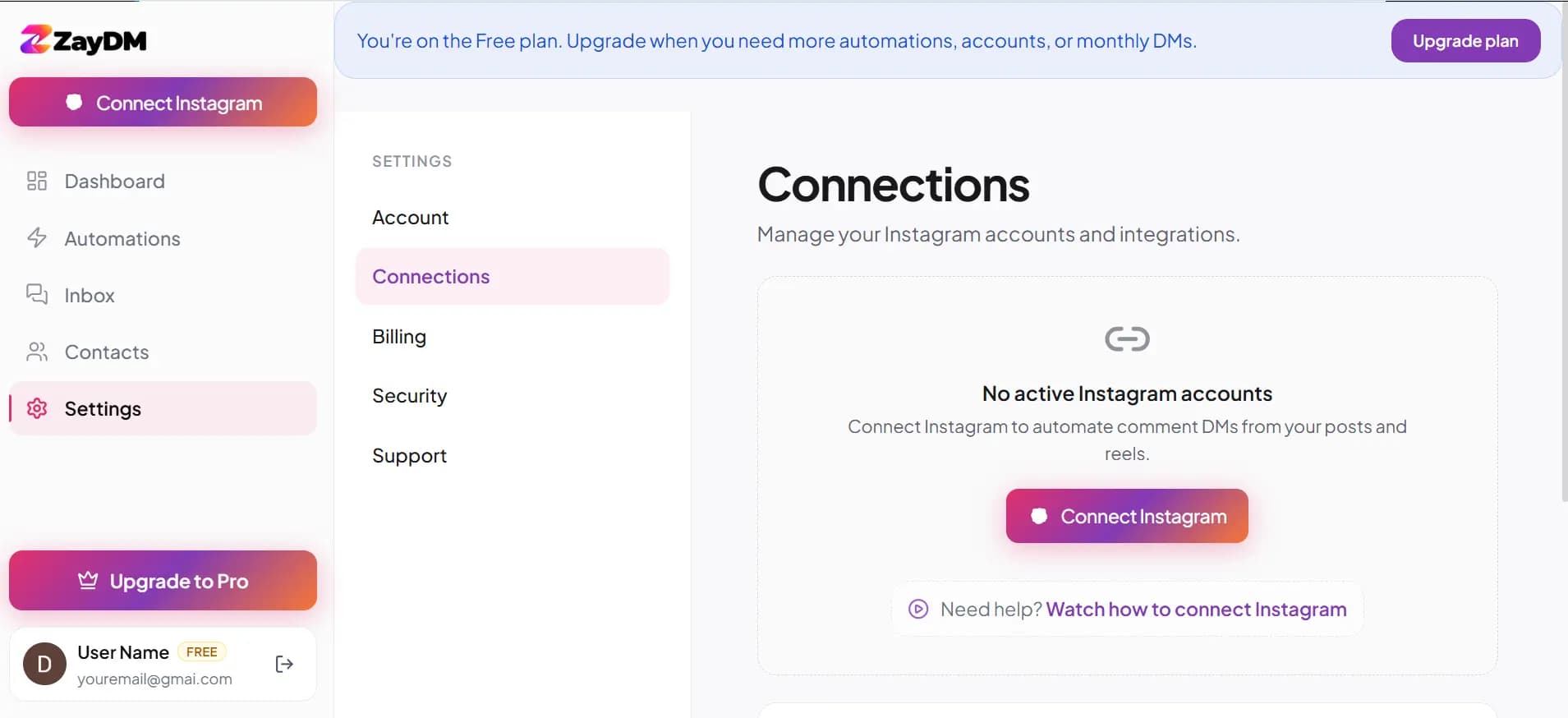
Step . Connect your professional Instagram account
Start by connecting the Instagram account that owns the content you want to automate. ZayDM connects through Instagram's official connection flow. You never give ZayDM your Instagram password.
It works with professional Business and Creator accounts. Before building anything else, make sure you are connecting the correct account. This sounds obvious until you manage three brands, two client accounts and an old Instagram page you forgot existed.
ZayDM product
Step . Create a Comment automation
Create a new Comment automation and decide which Instagram interaction should start it. You might want the automation to respond to a simple keyword such as GUIDE, PRICE, or MENU.
The best keyword is normally simple, intentional and easy to type. If your Reel says "Comment GUIDE and I'll send the template," then GUIDE is a much clearer trigger than something vague like YES.
Why? Because people naturally use words like "yes" in comments that have nothing to do with your offer. A distinctive keyword gives your audience a clearer instruction and gives the automation a clearer signal.
Step . Decide whether to add a public reply
You can optionally acknowledge the person's comment publicly with something short such as "Sent it to your DMs 👋" or "Check your inbox."
Keep this short. The public reply has one job: tell the person what happened. It does not need to pitch the product again, repeat your entire caption or sound like a customer-support robot.
If you use public replies frequently, variation also helps the comment section feel less repetitive.
Step . Write the opening message
This is where many comment automations become worse than the manual process they replaced. Someone asks for a guide, and the automation responds with:
HELLO 👋 THANK YOU FOR YOUR INTEREST IN OUR AMAZING FREE GUIDE! BEFORE WE BEGIN...
Don't do that. The person already told you what they want. A better opening message acknowledges the request and makes the next step obvious.
For example:
Got it. I have the guide ready for you. Tap below and I'll send it over.
Continue
That feels like the same conversation the person intentionally started.
In ZayDM, an Opening Message can pause the remaining automation until the person chooses to continue. That keeps the next step clear and intentional.
After the first automated message, Instagram's messaging rules determine what can happen next. We will cover those rules properly in a separate guide.
Step . Deliver the thing you promised
This should be the least complicated part of the automation. If you promised a guide when someone comments GUIDE, send the guide. If you promised a product link when someone comments PRICE, send the product link.
Do not turn a simple promise into a twelve-message funnel before delivering the thing that earned the comment.
You can send people toward:
- a guide
- a landing page
- a product
- a booking link
- a menu
- a checklist
- a signup page
- another useful resource
The exact format matters less than keeping the promise clear. In ZayDM, the final response can also be presented using text or richer CTA formats depending on the workflow.
What should your Instagram trigger keyword be?
There is no universally perfect keyword. The right keyword is the one that clearly matches the promise in the content.
| Goal | Example keyword | CTA example |
|---|---|---|
| Free guide | GUIDE | Comment GUIDE and I'll send it |
| Product | SHOP | Comment SHOP for the link |
| Pricing | PRICE | Comment PRICE and I'll send the details |
| Booking | CALL | Comment CALL for the booking link |
| Restaurant menu | MENU | Comment MENU and I'll send it |
| Checklist | CHECKLIST | Comment CHECKLIST to get it |
| Demo | DEMO | Comment DEMO and I'll show you how it works |
Try to avoid making people remember something clever. If the free resource is a guide, GUIDE is perfectly fine.
Your keyword does not need a brand strategy. It needs to be easy to understand after someone watches a Reel for seven seconds while standing in a supermarket queue.
Four ways businesses can use comment-to-DM
This workflow is useful far beyond giving away PDFs.
Creator: deliver a resource
A creator posts:
I put my full editing checklist into a free guide. Comment EDIT and I'll send it.
The automation delivers the resource privately. From there, the creator can continue the conversation if the person chooses to engage.
Coach or consultant: move interest toward a call
A consultant publishes a Reel explaining three mistakes founders make when hiring. The CTA says:
Comment AUDIT and I'll send the checklist I use with clients.
The DM delivers the checklist. A later step can offer the booking page without forcing the booking pitch into the first message.
Ecommerce: send the exact product
An ecommerce store posts a Reel featuring one product. Instead of "Link in bio," the CTA can be:
Comment SHOP and I'll DM you the product.
The customer receives the relevant link rather than searching through the store.
Restaurant or local business: answer repeat requests
A restaurant publishes a Reel featuring a new menu. The CTA says:
Comment MENU and we'll send it to you.
The DM can deliver the menu or ordering link.
The common pattern is simple:
The public content creates interest. The comment expresses intent. The DM delivers the next step.
The first DM should not be the end of the workflow
This is where comment automation becomes more interesting.
Many tools and tutorials stop at:
Comment
↓
DM
↓
Done
But that is not always what happens in real life. Someone might request your guide and then:
- forget to open it
- get interrupted
- read the message but take no action
- click the resource later
- reply with a question
- interact with another post instead
A better automation needs to understand what happens next.
A ZayDM workflow can continue beyond the initial response using features such as an Opening Message, an optional Follow Gate, the final resource, Smart Follow-Ups and supported link click tracking.
A simplified example looks like this:
Comment "GUIDE"
       ↓
Opening Message
       ↓
Continue
       ↓
Optional Follow Gate
       ↓
Guide delivered
       ↓
Did they engage?
       ↓
Follow up if appropriate
       ↓
Stop pending reminders when they reply
That last part matters. Automation should not continue bulldozing through a real conversation.
If someone replies with:
Thanks. I actually have a question about this...
the sensible next experience is a conversation, not another generic reminder appearing on top of them.
ZayDM's Smart Follow-Ups are designed so a genuine user reply cancels pending generic follow-ups for that person. ZayDM can also use supported tracked CTA links to distinguish between someone who clicked and someone who did not.
We will cover those pieces individually in the next guides.
Comment-to-DM mistakes that make automation feel worse
Automation is useful when it removes friction. It becomes annoying when it creates new friction. Here are the mistakes worth watching.
Asking for too much before delivering value
If you promised a checklist, avoid making someone answer six questions before they see it unless those questions are genuinely necessary. Delivering value first usually makes the rest of the conversation easier.
Writing an opening message like legal paperwork
People are in Instagram, not filling out a mortgage application. Keep the first message short enough to understand at a glance.
Using a confusing keyword
If someone needs to replay your Reel three times to remember whether they were supposed to comment:
IGGROWTH2026
you made the automation harder than necessary.
Sending unrelated follow-ups
A person who requested a menu should not receive a generic:
Ready to transform your business today???
Your follow-up should make sense in the context of what they originally requested.
Continuing automation after a real reply
Once the person starts talking to you, the conversation has changed. Your automation should respect that.
Sending people to broken or temporary links
Always test the final destination. An automation that works perfectly until the CTA returns a 404 is still a broken automation.
Measuring only the number of DMs sent
Delivery tells you that the system ran. It does not tell you whether the person took the action you cared about.
That brings us to measurement.
How do you know if comment-to-DM is actually working?
Do not judge a campaign only by the number of comments it generated. A useful measurement path looks more like:
Each step answers a different question.
Comments tell you whether the content and CTA generated interest.
Triggered automations tell you whether your rule matched correctly.
Messages sent tell you whether delivery happened.
Clicks tell you whether people acted on the CTA.
CTR helps compare the performance of different automated conversations.
Leads or conversions tell you whether the workflow contributed to the business outcome you actually care about.
ZayDM currently tracks clicks and CTR for supported CTA links inside automated Instagram conversations. It does not pretend a click is automatically a sale, booking or revenue event.
That distinction matters. Good analytics should tell you what happened, not turn every metric into a marketing claim.
Is Instagram comment-to-DM automation allowed?
Instagram supports comment and messaging automation for professional Business and Creator accounts when you use approved tools and connection flows.
The safer approach is straightforward: use software that connects through Instagram's official flow rather than tools that ask for your Instagram password, scrape the interface, or pretend to be a human browsing the app.
ZayDM connects through Instagram's official connection flow and does not ask users to hand over their Instagram password.
That does not mean automation gives you permission to send anything you want forever. After the first automated message, Instagram's messaging rules determine what can happen next. We will cover those rules in more detail in a dedicated guide.
Frequently asked questions
Can Instagram automatically DM someone who comments on my post?
Yes. A professional Instagram account can use a compatible automation platform to trigger a private response from a qualifying comment on a post or Reel. You configure the trigger and message before activating the workflow.
Can I trigger the DM only when someone comments a specific word?
Yes. Keyword-based triggers are one of the most common ways to run comment-to-DM automation. For example, you might use GUIDE, PRICE, SHOP or MENU depending on the content.
Does comment-to-DM work with Instagram Reels?
Yes. On eligible Reels and eligible posts, a compatible connected automation platform can trigger a private reply from a qualifying comment.
Can I send someone a link through the DM?
Yes. Links can be part of an Instagram automation flow. The exact message format depends on the stage of the conversation and the automation platform you are using.
Can I use comment-to-DM to deliver a lead magnet?
Yes. This is one of the most common use cases. The comment starts the workflow and the private conversation delivers or links to the resource. For a complete setup, read How to Automatically Send a Lead Magnet on Instagram.
Should I send the resource immediately?
Usually, keep the path short. If your automation needs the user to interact with an Opening Message first because of the conversation flow you are building, make that next action clear. Do not add unnecessary steps simply because your automation platform allows them.
What happens if the person replies?
At that point you have a real conversation. Your automation should be designed to avoid sending irrelevant generic reminders over the top of that reply. In ZayDM, a genuine recipient reply cancels the person's pending Smart Follow-Up sequence.
Can I track whether someone clicked the link?
ZayDM supports click and CTR tracking for supported CTA links inside automated conversations. We will cover exactly how Instagram DM link tracking works in a separate guide.
Do I need a Business account?
You need an Instagram professional account. Both Business and Creator accounts work with the connection flow ZayDM uses.
Start with one useful automation
You do not need to automate your entire Instagram account on day one. Start with one piece of content where people already ask for something repeatedly.
Pick one clear CTA:
Comment GUIDE and I'll send it.
Build the shortest useful path from that comment to the promised resource. Test it from another Instagram account. Read the messages as if you were the person receiving them. Then improve the workflow based on what people actually do.
That is the useful version of Instagram automation: not more messages, but less friction between someone's interest and the next useful action.