
Instagram Automation
How to Automatically Follow Up on Instagram DMs
Set up useful reminders after your main Instagram DM, choose when a missing click should matter, and let real replies take priority over scheduled messages.
In this guide11 sections
- What is an automated Instagram DM follow-up?
- Scheduled message or Reminder if no click?
- How to set up a Smart Follow-Up in ZayDM
- How to write a useful No-Click Reminder
- When should follow-ups stop?
- How long should you wait before following up?
- Instagram DM follow-up examples
- What should you measure?
- Follow-up mistakes to avoid
- Frequently asked questions
- Start with one reminder that helps
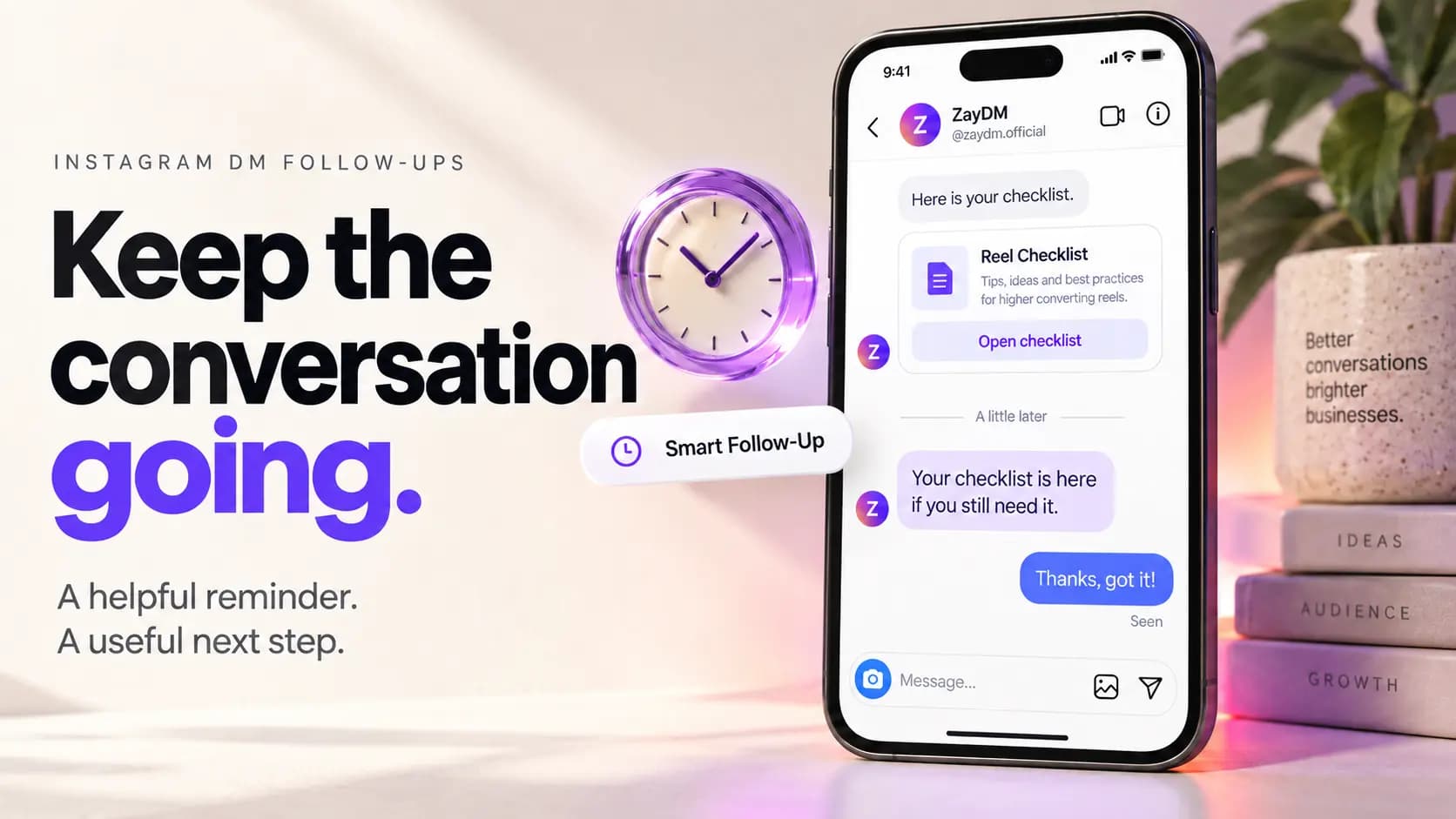
Someone comments GUIDE on your Reel. Your automation sends the checklist, but they put their phone away before opening it.
The resource is useful. The link works. The person simply got distracted.
A follow-up can give them an easy way back:
Still want the Reel checklist? You can open it from the message above.
That reminder makes sense because it belongs to a conversation they already started. The harder decisions are when to send it, whether a click should cancel it, and what should happen if the person replies first.
This guide explains how to make those decisions and configure the corresponding steps in ZayDM.
What is an automated Instagram DM follow-up?
An automated follow-up is a message configured to send later in an existing automation workflow, provided its sending conditions still apply.
In ZayDM, the Smart Follow-Up section comes after Main DM, which is the main private response containing your resource, product information, or offer. You may also see that response called Final Response, including in the timing summary.
For example, a saved step can read 5 hrs after Final Response. That describes a delay after the main response, not five hours after you opened the editor.
If you are starting with a comment trigger, first build the comment-to-DM workflow. If the main response delivers a PDF, checklist, or template, the Instagram lead magnet guide covers that part of the journey.
The follow-up should help the recipient do something connected to that original request: find the resource again, understand a product, or ask a question.
Scheduled message or Reminder if no click?
ZayDM offers two choices when you add a Smart Follow-Up. Choose based on what should make the message useful when its wait has elapsed.
| Decision | Scheduled message | Reminder if no click |
|---|---|---|
| Purpose | Send another useful message after a delay if the person has not replied | Remind someone who has not clicked the tracked link |
| Suitable example | Ask whether they have a question about the guide | Point them back to the guide they requested |
| Does a tracked CTA click alone suppress it? | No | Yes, for the relevant No-Click Reminder |
| Does a genuine recipient reply stop pending follow-ups? | Yes | Yes |
| Does a newer automation replace the earlier sequence? | Yes | Yes |
Use Scheduled message when the message still helps after a click
A scheduled follow-up can add useful context or invite a question:
Any questions about the checklist? Tell me which part you're working on.
That message can still make sense if someone has clicked the resource but has not replied. In the edit dialog, this behavior may be labeled Send a follow-up.
Avoid writing a scheduled message that assumes they never opened the link. If the wording depends on a missing click, choose the no-click option.
Use Reminder if no click when the next step is opening a resource
A No-Click Reminder fits a simpler situation: the person requested something, received the CTA, and has not clicked its tracked link.
For example:
Your sizing guide is in the message above if you still need it.
This option uses the click state recorded for an eligible tracked CTA. If the relevant click has already happened, that No-Click Reminder should no longer send.
ZayDM's Link Click Analytics works independently of Smart Follow-Ups. You do not need to create a reminder to enable tracking for supported Final Response HTTPS CTA buttons. The reminder uses that tracking information to decide whether it is still relevant.
How to set up a Smart Follow-Up in ZayDM
Start with one useful message. You can judge whether the workflow needs another step after checking the recipient experience.
Step . Finish the Main DM first
Open the automation you want to use and review its Main DM. Confirm that it delivers what the person requested and that any CTA opens the intended destination.
For a lead magnet, this might be a short message with a Get the guide button. For ecommerce, it might be a product card or link.
If you want a Reminder if no click, use an eligible tracked Final Response CTA. A link mentioned in ordinary text should not automatically be treated as a supported tracked button. The click tracking guide explains the distinction.
Step . Open Smart Follow-Up and add a step
Scroll to Smart Follow-Up, below the Main DM section, and select Add follow-up.
Choose Scheduled message if you want a later message for someone who has not replied. Choose Reminder if no click if it should depend on the tracked link remaining unclicked.
Make this choice before writing the message. The condition determines what you can reasonably say to the recipient.
Step . Set the wait
Enter a value in Wait and choose a unit. The editor examples show both minutes and hours.
A five-hour wait can be an example to evaluate for a guide someone may need time to read. It is not a universal recommendation. A different offer, audience, or eligible conversation may call for a different delay.
After saving the step, read its timing summary so you understand the scheduled position of the message.
Step . Write a Text or Card response
Choose Text for a short reminder or question. Write the message in Follow-up text and use Add button when a clear next action would help.
Choose Card when an image and title make the response easier to understand. The card editor includes an image input, title, and optional description.
For a short reminder about a checklist, Text may be enough. A product reminder may benefit from a Card if the image helps the recipient recognize what they requested.
Step . Save the step and the automation
Select Add follow-up when creating the step or Save follow-up when editing one. Review the saved summary in the Smart Follow-Up section, then use the automation's Save changes control.
Saving a message is part of configuration. Also check that the automation is active when you intend the workflow to run.
Keep any other steps consistent with the same resource and conversation. A longer sequence creates more opportunities for the wording to become repetitive or outdated.
Step . Test the recipient experience
Use another Instagram account to trigger the workflow. Check that the main response arrives, that the CTA opens correctly, and that the follow-up wording makes sense in the conversation.
For a No-Click Reminder, test both outcomes in separate runs: leaving the relevant link unclicked and clicking it before the reminder is due. Also test a genuine reply before a scheduled follow-up.
Use an eligible short delay for testing, then restore the delay you intend to use before saving the final configuration. The editor preview helps with presentation; a real Instagram test checks the full experience.
How to write a useful No-Click Reminder
A missing click gives you limited information. It does not explain why the person did not act or prove that they rejected the offer.
Keep the reminder connected to the resource and make it easy to ignore without pressure:
The checklist is still available in the message above if you'd like it.
For a product request:
Still comparing options? The product details are in the link above.
If you add a button, use a clear label such as Open checklist or View product. Test its destination just as you would the Main DM CTA.
The timing shown in a configuration example is only an example. It does not establish the best wait for every campaign.
Avoid messages such as "I saw you ignored my link." A click condition is useful for choosing a reminder, but the recipient does not need a commentary on their activity.
When should follow-ups stop?
The Smart Follow-Up section explains two important behaviors: follow-ups stop when the person replies, and a newer automation's follow-up sequence replaces the previous one.
A genuine reply takes priority
Suppose a reminder is pending and the recipient writes:
Thanks. Does this template work for a restaurant account?
They have moved from receiving a resource to asking a question. Pending Smart Follow-Ups stop so the next useful action can be answering them.
A newer workflow replaces the earlier sequence
Someone might request a checklist and later interact with another campaign. The editor explains that the newer automation's follow-up sequence replaces the earlier one.
This helps keep reminders connected to the person's latest interaction. When reviewing an older sequence, do not assume every planned step must eventually send.
A click affects the no-click condition
A relevant tracked click makes the corresponding No-Click Reminder unnecessary. It does not, by itself, cancel an ordinary scheduled follow-up.
This is why the message type matters. "Your guide is here if you still need it" and "Any questions about the guide?" can serve different purposes even when they concern the same resource.
How long should you wait before following up?
Choose a wait that gives the person a reasonable chance to complete the action you asked for.
A product detail page may need only a quick look. A worksheet may require someone to sit down and work through it. A booking decision can depend on their availability.
Use these questions to choose a starting point:
- How long would the requested action reasonably take?
- Would another message add useful information at that point?
- Does the reminder still fit the original request?
- Is the follow-up eligible to send under the conversation's applicable messaging rules?
Instagram messaging rules still apply to automated follow-ups. Configuring a wait does not create permission to keep messaging indefinitely. Keep the sequence within the supported options and eligibility of the workflow you are using.
Start with one follow-up and review the replies and relevant CTA activity. Shorten or lengthen the wait based on the experience, rather than treating the shortest available delay as the best setting.
Instagram DM follow-up examples
These are sample messages to adapt to an actual request. They do not imply that ZayDM tracks what someone does after opening an external page.
| Original request | Follow-up type | Example message |
|---|---|---|
| Creator's editing checklist | Reminder if no click | Your editing checklist is in the message above if you still need it. |
| Coach's preparation worksheet | Scheduled message | Any questions about the worksheet? Tell me which part you want help with. |
| Consultant's audit guide | Scheduled message | Which area are you reviewing first: content, enquiries, or your offer? |
| Ecommerce sizing guide | Reminder if no click | Still choosing a size? You can open the sizing guide from the link above. |
| Restaurant catering menu | Scheduled message | If you're planning an event, reply with the date and guest count and we can help. |
| Agency's content template | Reminder if no click | The content template you requested is ready whenever you'd like to open it. |
Use Card when recognizing a product or resource visually will help. Fill in the image and title so the recipient can tell what the message concerns without opening the destination first.
What should you measure?
Match the metric to the purpose of the follow-up. A message inviting a question is intended to start a conversation; a reminder about a guide is intended to help someone access it.
For eligible tracked Final Response CTAs, Link clicks records eligible taps. CTR is the share of tracked Final Response deliveries with at least one eligible click. Repeated taps can increase Link clicks without counting the same delivery as several clicked deliveries.
Keep those metrics separate from the business outcome. A click does not prove that someone read the guide, booked a call, or bought the product.
Also distinguish what happened from what caused it. A click occurring after a reminder does not, on its own, prove the reminder caused that click. Review the campaign as a whole and track downstream outcomes in the system where they occur.
Do not assume the follow-up's own buttons have the same analytics coverage as supported Final Response CTAs. The Link Click Analytics page describes that capability separately.
Follow-up mistakes to avoid
Using the wrong condition for the message
If your wording only makes sense when a resource remains unclicked, use Reminder if no click. A scheduled message can still send after a click if its other conditions allow it.
Repeating the same pitch
A reminder should help someone find the resource, understand a detail, or ask a question. Sending the same sales paragraph again adds little value.
Claiming an outcome you did not measure
Avoid "You haven't booked yet" unless you actually know the booking status. A missing CTA click is not a booking, purchase, or reading-status check.
Making the reminder harder than the original request
Someone who asked for a menu should not suddenly need to answer an unrelated questionnaire. Keep the next action proportional to the request.
Filling every available step
The editor gives you room to configure a sequence. That does not mean every campaign needs all the available steps. Begin with one message that earns its place in the conversation.
Frequently asked questions
Can I automatically follow up after an Instagram DM?
Yes, within an eligible ZayDM automation you can add Smart Follow-Up messages after the Main DM. Choose the message type, wait, and content, then save and test the workflow.
What is the difference between Scheduled message and Reminder if no click?
A scheduled message follows a delay when the recipient has not replied and other sending conditions still allow it. A No-Click Reminder additionally depends on the relevant tracked link remaining unclicked.
Do I need Smart Follow-Ups to track link clicks?
No. Tracking for supported Final Response HTTPS CTA buttons works independently. A No-Click Reminder uses that existing click state.
What happens when someone replies?
A genuine recipient reply stops their pending Smart Follow-Ups. Handle the reply as a conversation rather than relying on the remaining generic reminders.
What happens if they enter another automation?
The editor states that the newer automation's follow-up sequence replaces the previous one, keeping the pending sequence connected to the newer interaction.
Can I use an image in the follow-up?
Yes. The Card format includes an image input, title, and optional description. Use it when a visual helps identify the product or resource.
Does a No-Click Reminder mean the person has not read my DM?
No. It uses the relevant tracked link's click state. It does not establish whether someone read the message, viewed the full resource, or completed an action on another website.
Start with one reminder that helps
Choose an automation that already delivers something people ask for. Add one follow-up with a clear purpose, choose the condition that matches its wording, and test what happens when the recipient clicks or replies.
A useful reminder might be as small as helping someone find the checklist they requested earlier. If they respond with a question, the reminder has done its job: you have a conversation to continue.
Explore ZayDM Smart Follow-Ups to build that next step into your automation.